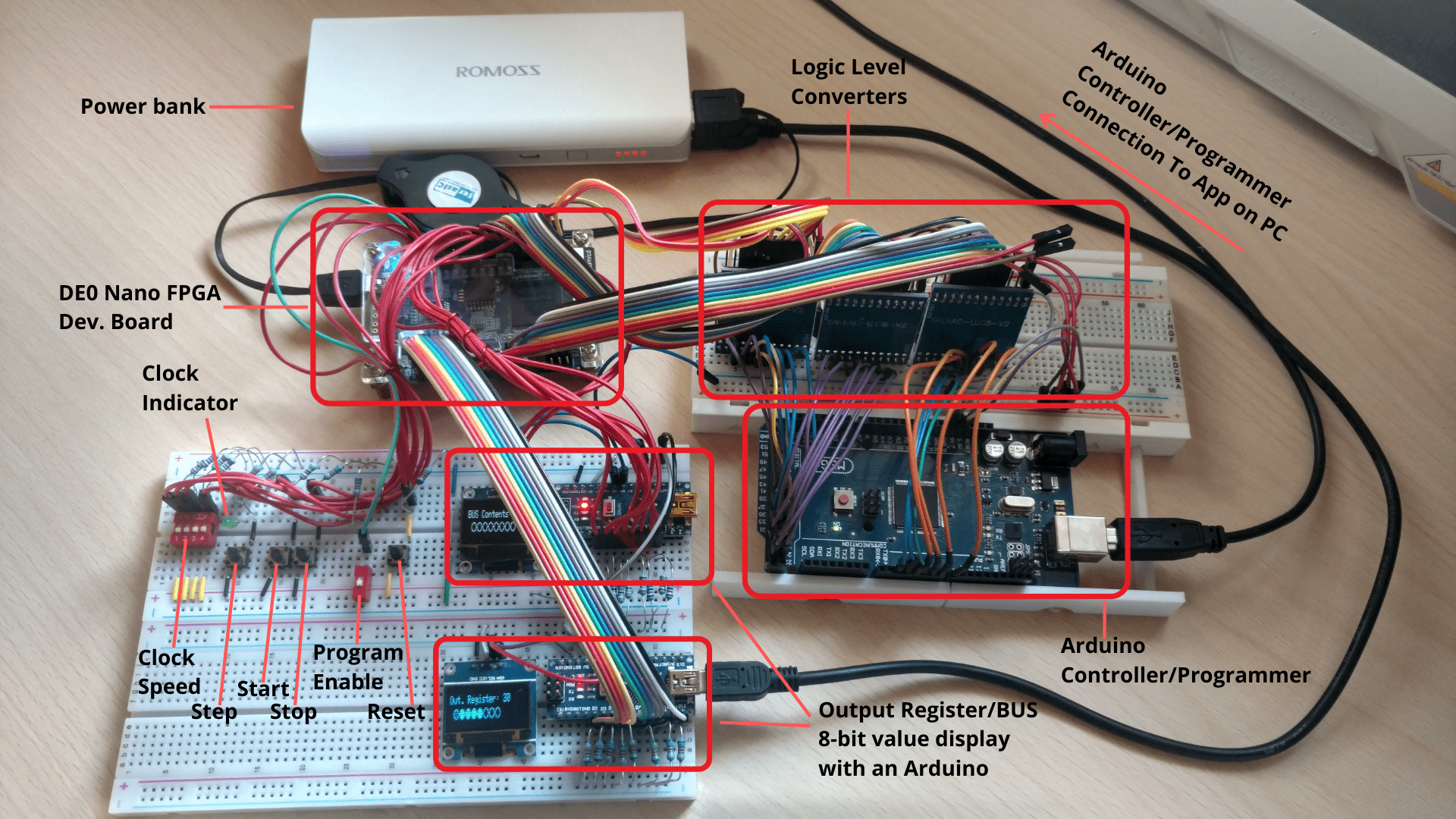
- Quartus design files for the 8-Bit computer
- Software for the Arduino programmer
- Software for the Arduino binary to decimal display
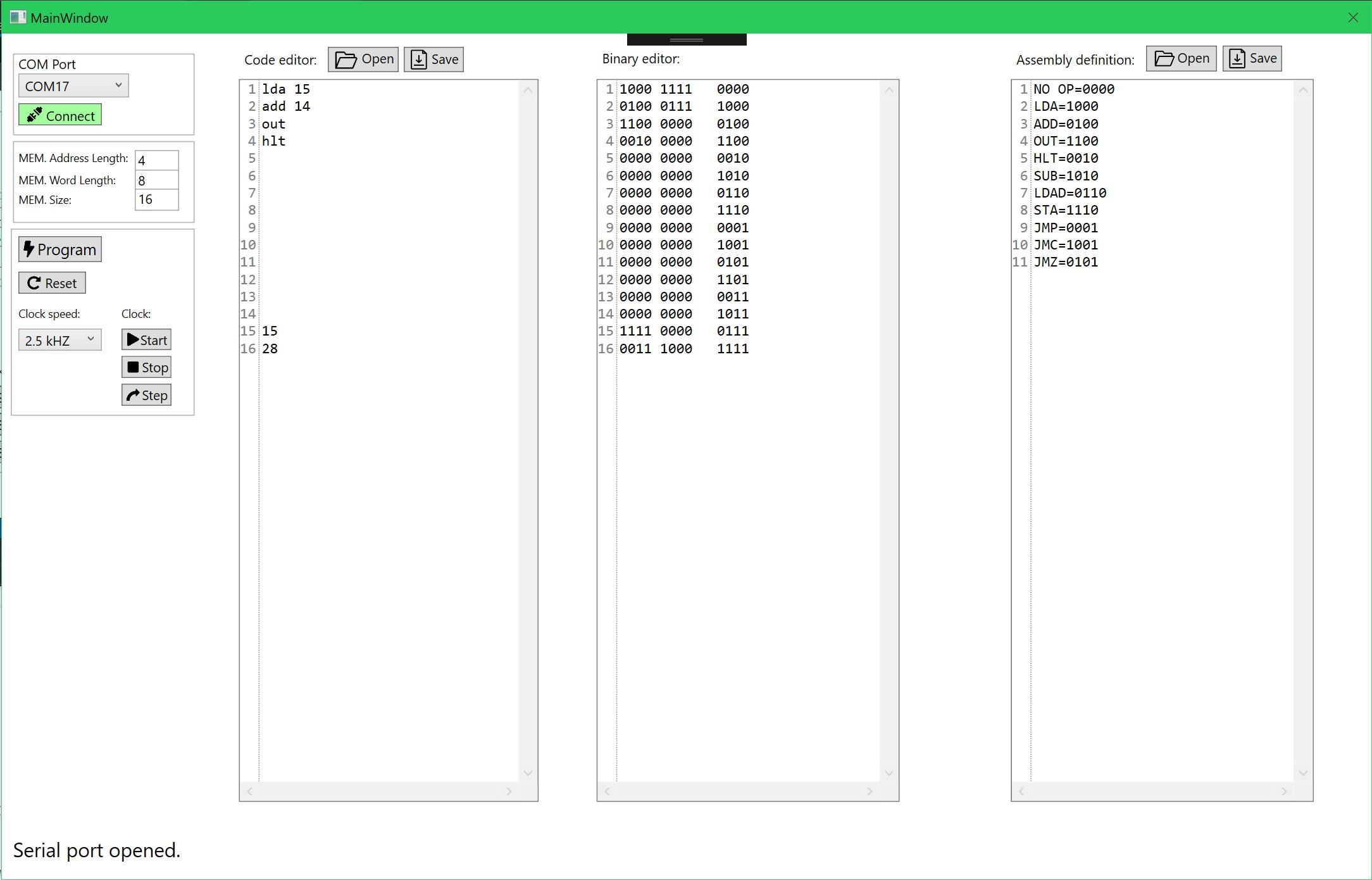
- PC software for controlling the Arduino Programmer(see "AsmIDE" folder for source code, see "AsmIDE Release" for the precompiled app)
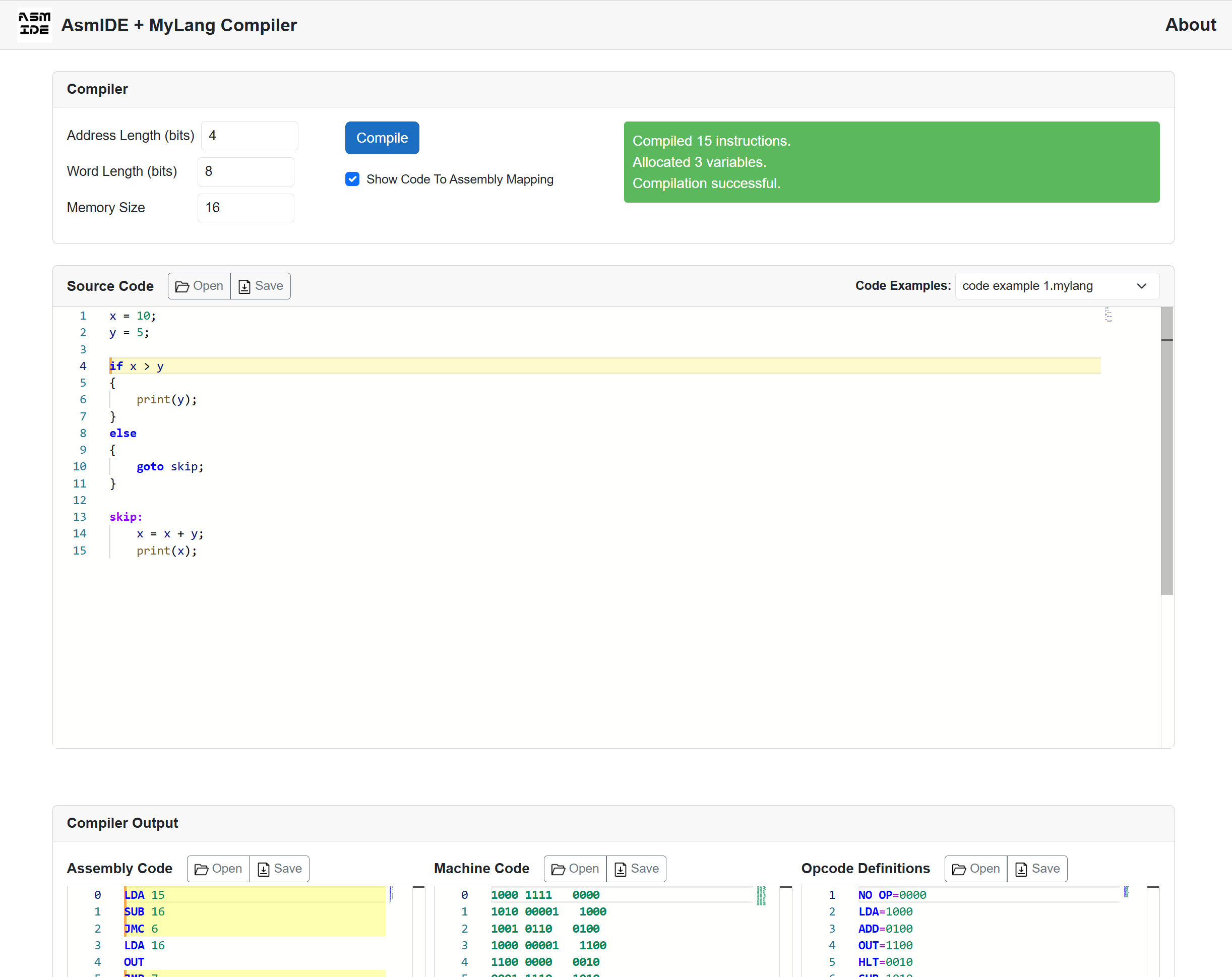
- Update: I have ported AsmIDE into a Blazor web app, including a custom compiler I made, which you can access here: AsmIDE + MyLang Compiler
For more information about the project, see my blog posts: 8-Bit Computer In An FPGA
The code and electronics circuitry in this project might not always follow/adhere to all the best engineering practices, design patterns and principles.
Some stuff was just quickly prototyped and put together to get the job done.
For example, the AsmIDE isn't using a responsive layout(as I didn't see the need for it), ...
I have ported AsmIDE into a Blazor web app, including a custom compiler I made, which you can access here: AsmIDE + MyLang Compiler
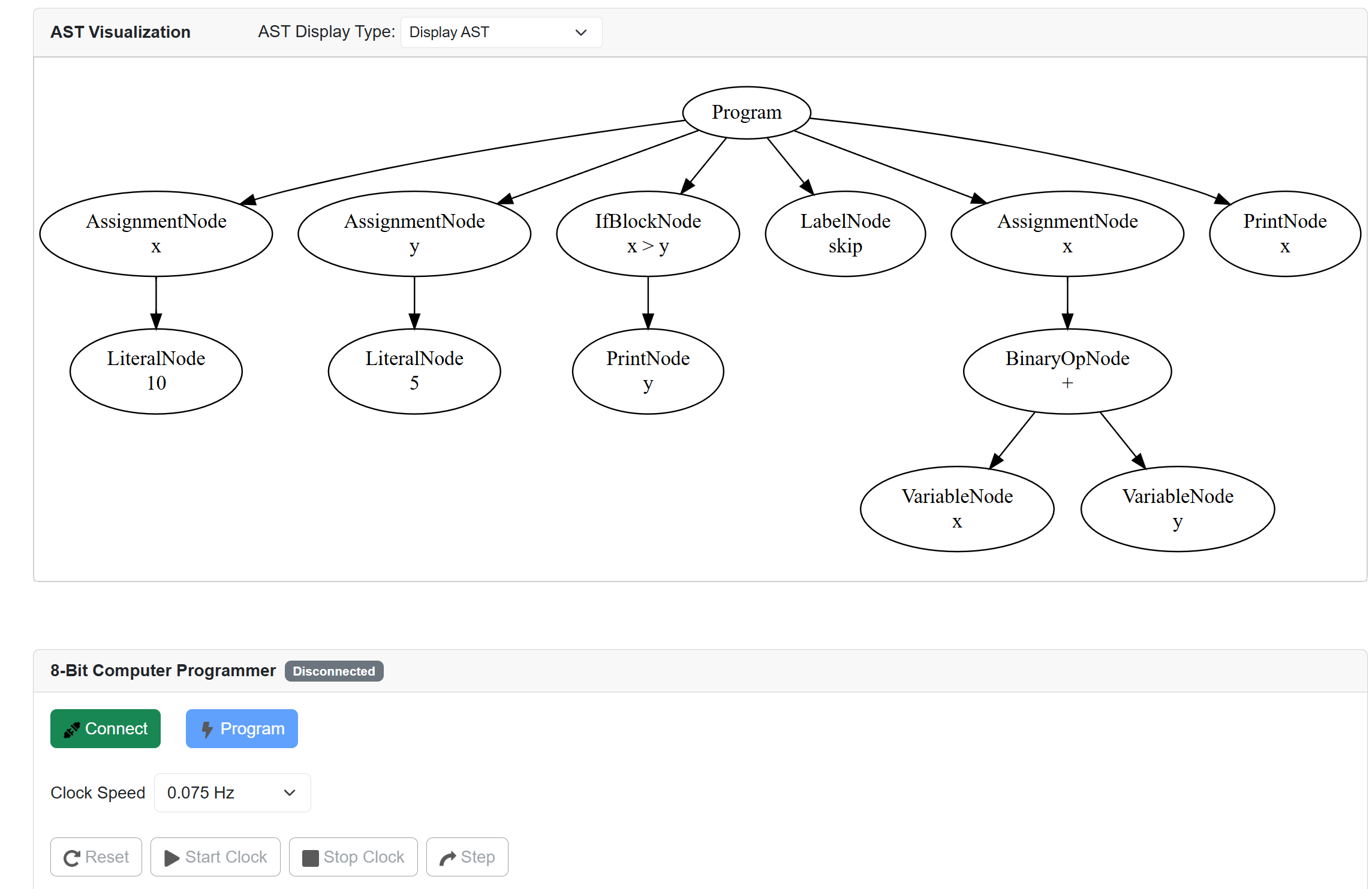
AST visualization and serial programmer.
8Bit-Computer/
├── 8 bit computer/                       # The computer itself: a Quartus project for a Cyclone IV E FPGA
│   ├── 8bitComputer.qpf                  # Quartus project file, open this one
│   ├── 8bitComputer.bdf                  # Top-level schematic that wires all the parts together
│   ├── ALU.bdf, Adder.bdf                # 8-bit adder/subtractor
│   ├── Register.bdf                      # 8-bit register
│   ├── PC.bdf                            # 4-bit program counter
│   ├── RAM.bdf, RAMCells.bdf             # 16 bytes of RAM
│   ├── DFF_*, JK_flip_flop*              # Flip-flops (schematics and Verilog)
│   ├── 8bitComputerRegisterTest.bdf      # Schematic for testing a register
│   ├── pll.v, pll.qip, ...               # Clock PLL, made with Quartus's MegaWizard
│   ├── *.bsf                             # Symbols of the parts, used in the schematics
│   ├── 8bitComputer.qsf                  # Device and pin settings
│   ├── output_files/                     # Compilation reports and the pin list
│   └── db/, incremental_db/              # Quartus's build database
│
├── _8BitComputerProgrammer/              # Arduino programmer: gets a program over USB serial, writes it into
│                                         # the computer's RAM and runs, stops, steps and resets the computer
├── SimpleArduino8BitComputerProgrammer/  # Simpler Arduino programmer: writes a program typed into the sketch
├── BinaryDisplay/                        # Arduino + OLED display: shows the output register in decimal
│
├── AsmIDE/                               # Old Windows app (WPF): assembly editor that sends programs to the
│   │                                     # Arduino programmer
│   ├── MainWindow.xaml(.cs)              # The whole app
│   └── assets/                           # Toolbar icons
├── AsmIDE Release.7z                     # AsmIDE, compiled and ready to run
│
├── MyLangCompiler/                       # New web app: AsmIDE in the browser, plus the MyLang compiler
│   ├── MyLangCompiler/                   # The Blazor WebAssembly app, open MyLangCompiler.sln
│   │   ├── Code/Compiler.cs              # The compiler: lexer, parser, AST and code generator
│   │   ├── Pages/Home.razor              # The IDE: editor, compiler output, AST view and programmer
│   │   ├── Layout/                       # Page layout
│   │   ├── NpmJS/                        # Monaco editor setup, bundled with webpack
│   │   ├── wwwroot/js/                   # Web Serial (talks to the Arduino programmer) and AST drawing (Viz.js)
│   │   ├── wwwroot/Test/                 # Example MyLang and assembly programs
│   │   ├── diagrams/                     # Diagrams used in the compiler's README
│   │   └── README.md                     # How the compiler works, in detail
│   └── MyLangCompilerTests/              # Compiler tests (MSTest)
├── MyLangCompiler_README_embedded.html   # The compiler's README as one HTML file, with the images inside
├── mdToHTML.py                           # Script that makes that HTML file
│
├── LICENSE
└── README.md